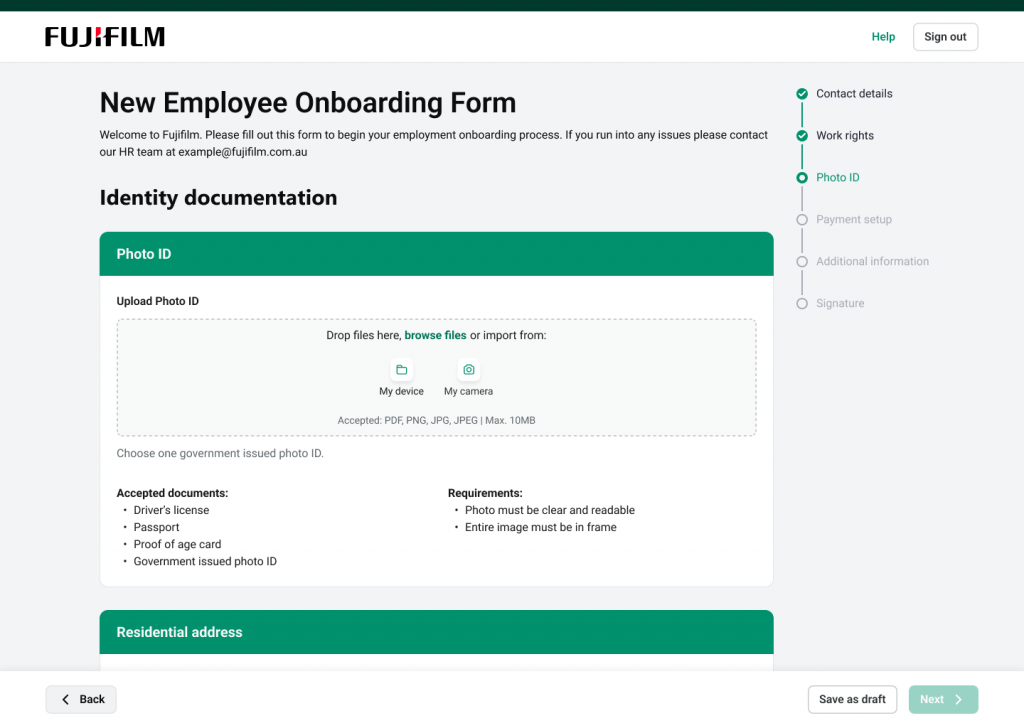
Fujifilm Data Management Solutions

Digital Forms

Secure and compliant digital form creation and workflow management with delivery via email or SMS, second-factor identity verification, integrated eSignatures and payment support and full visibility across every stage.

Why use Digital Forms for secure data collection?

Digital Forms helps organisations manage information securely through built-in workflow controls and complete audit visibility.

Each submission moves through a defined workflow, recorded automatically from initial entry to final approval or eSignature to ensure traceability and compliance. Once approved, forms are converted to searchable PDFs, and the data can be stored or integrated with connected enterprise systems for long-term access and reporting.

Simplify form creation, approval and compliance

Our platform helps organisations manage every step of form creation and approval efficiently, maintaining accuracy, security and audit control.

Build and manage forms easily

Create forms quickly using templates or start from scratch with drag-and-drop design tools. Add fields, define participant roles and apply conditional logic to ensure every form is accurate and consistent.

Streamline reviews and approvals

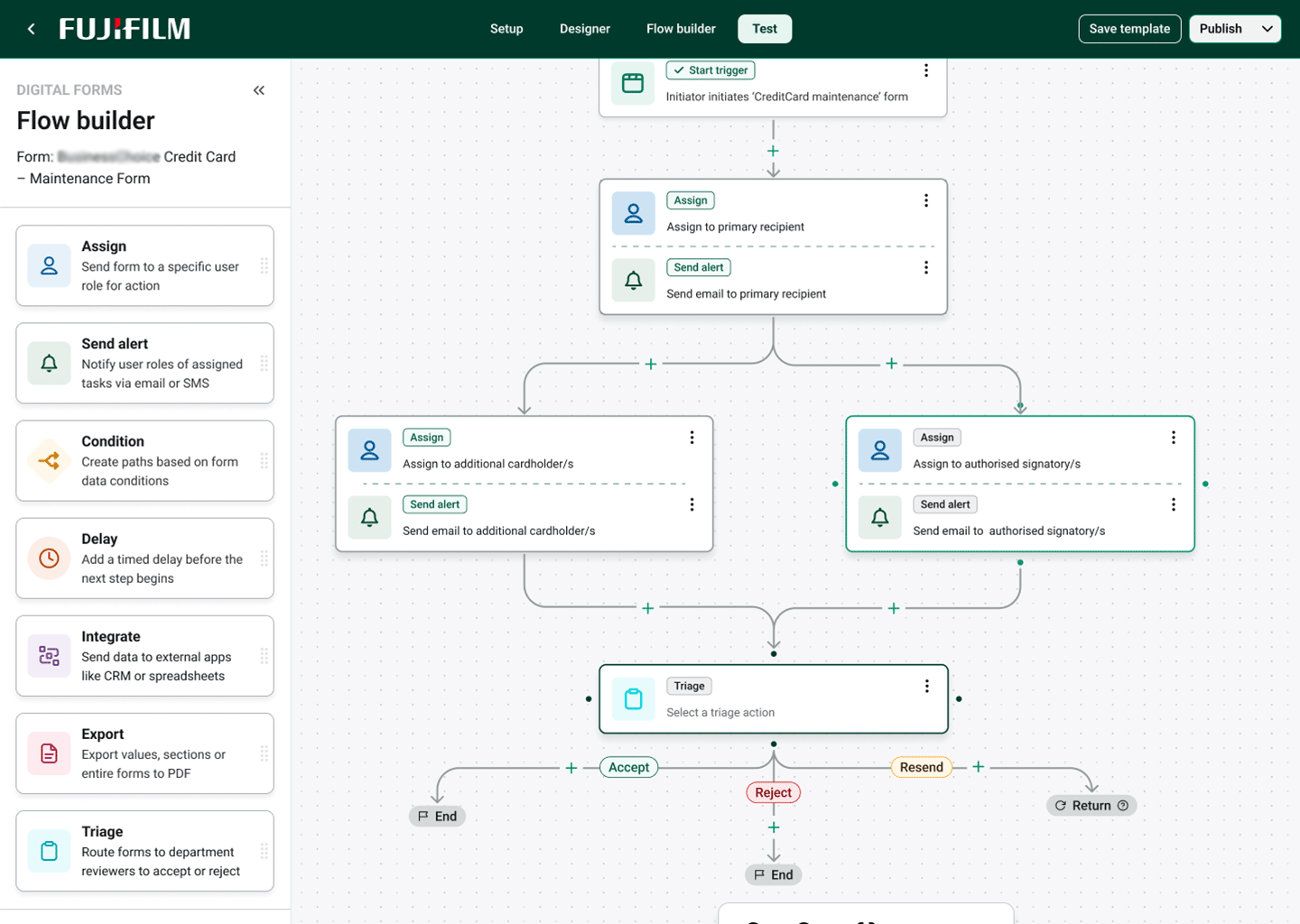
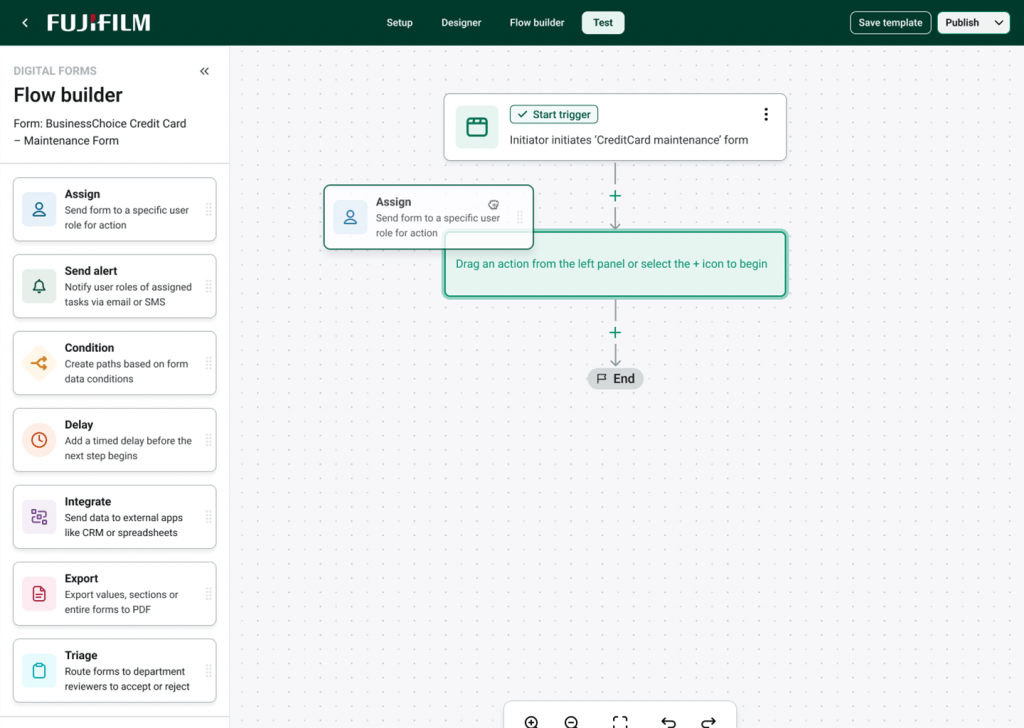
The Flow Builder automates submission routing, guiding each request from assignment through to triage while keeping every action logged for accountability and compliance.

Track progress and maintain control

Track every submission through completion with full audit trails. Completed forms are securely converted to searchable PDFs and archived for compliance, reporting and easy retrieval

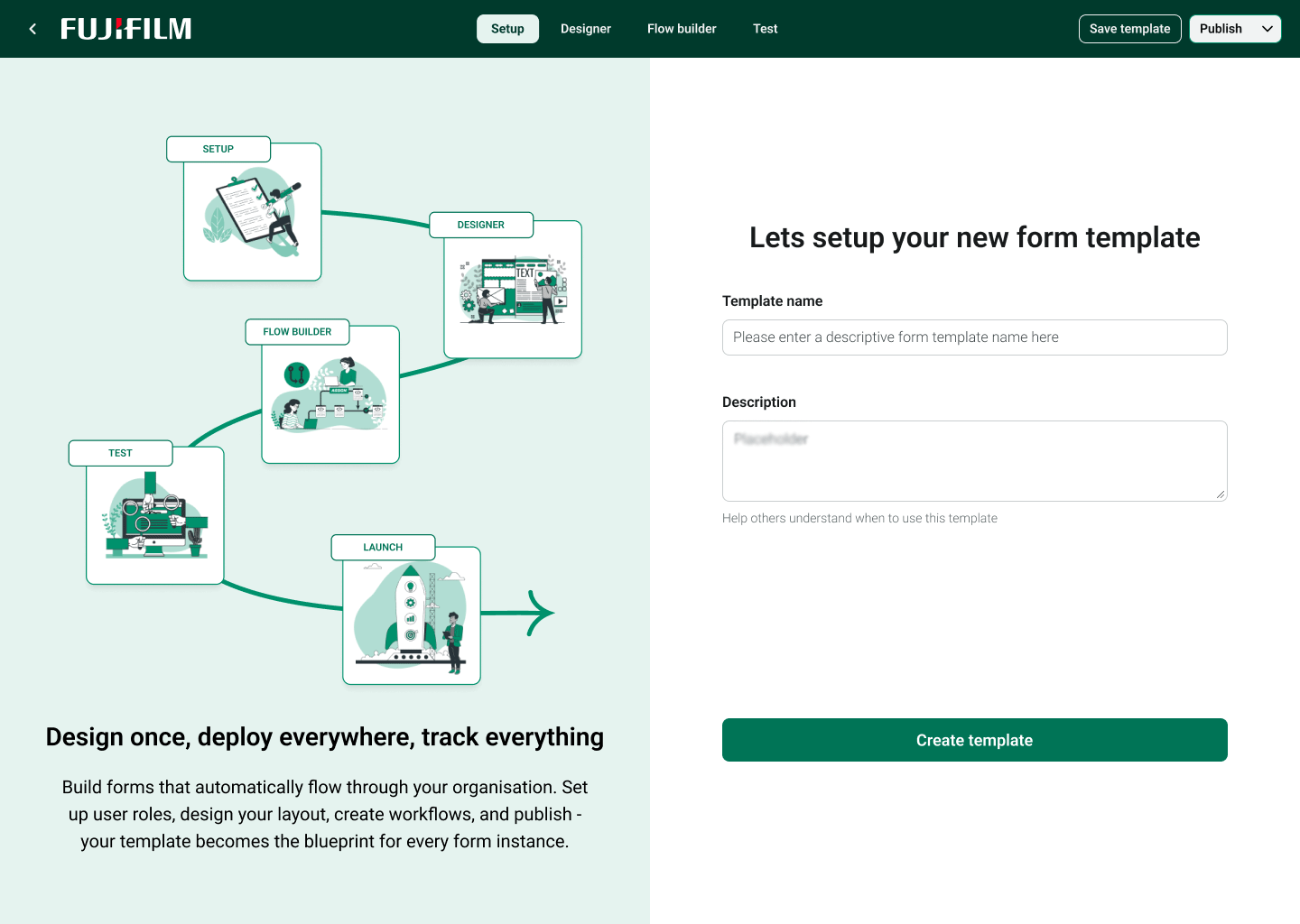
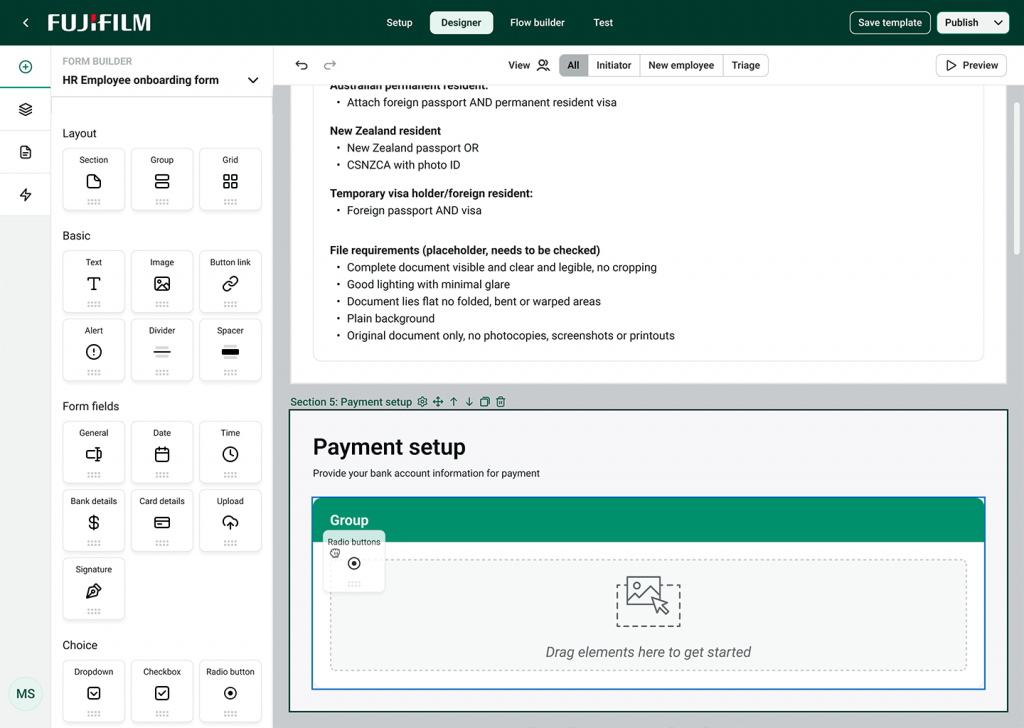
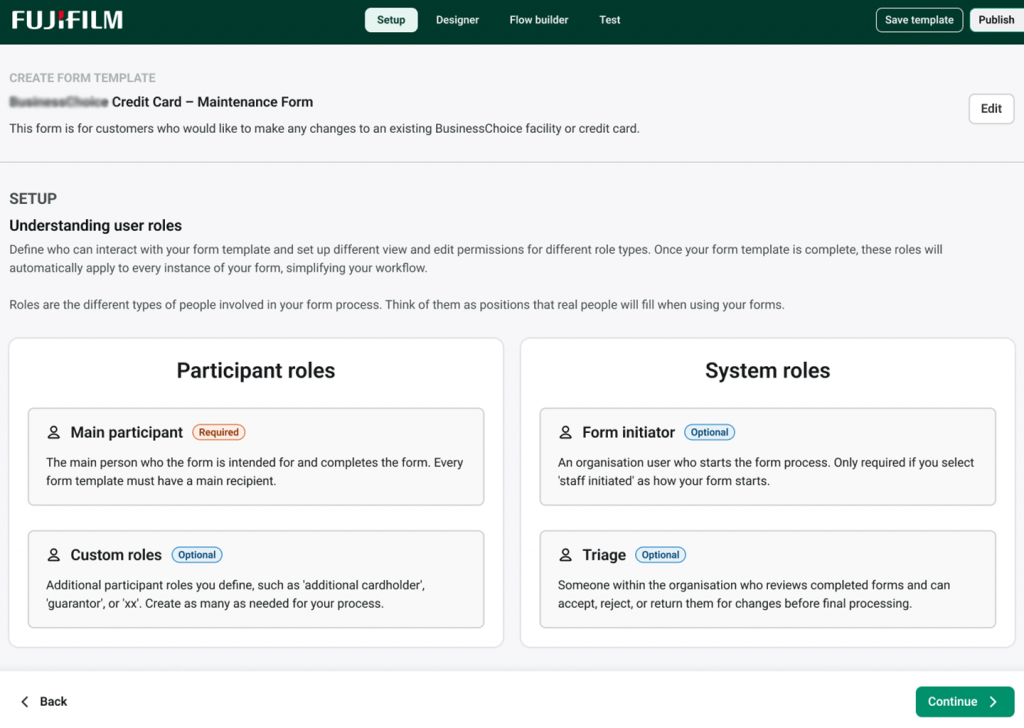
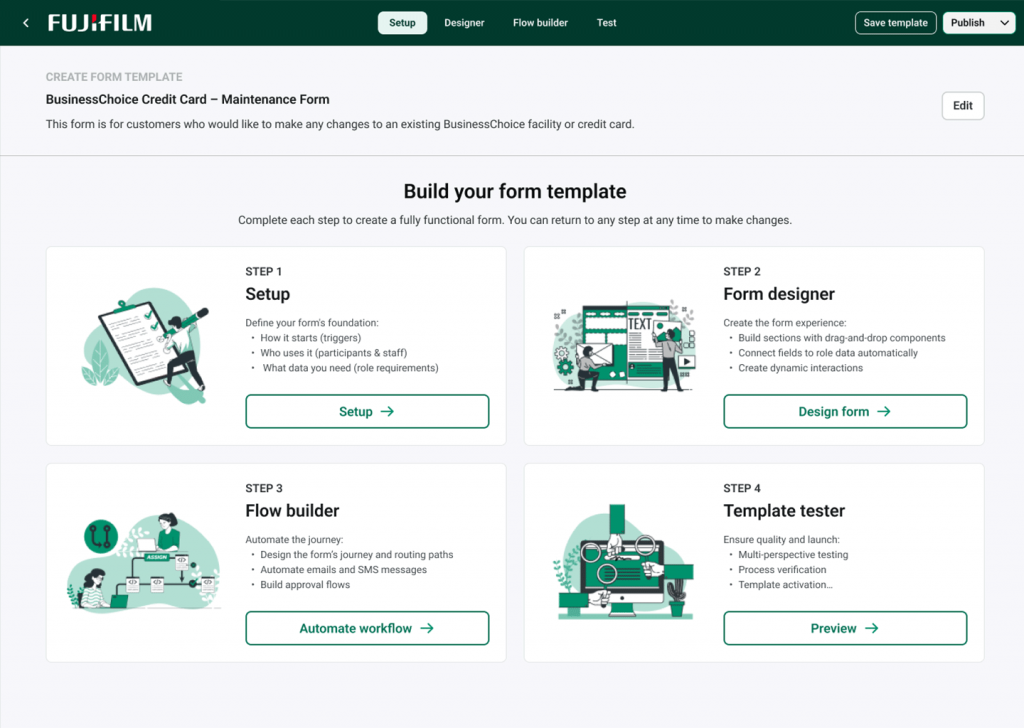
Screenshot of Fujifilm Digital Forms template setup screen showing steps for Setup, Designer, Flow Builder and Test with drag-and-drop form builder.
Screenshot of Fujifilm Digital Forms Flow Builder interface showing automated routing paths, approval steps and triage options for compliance tracking.
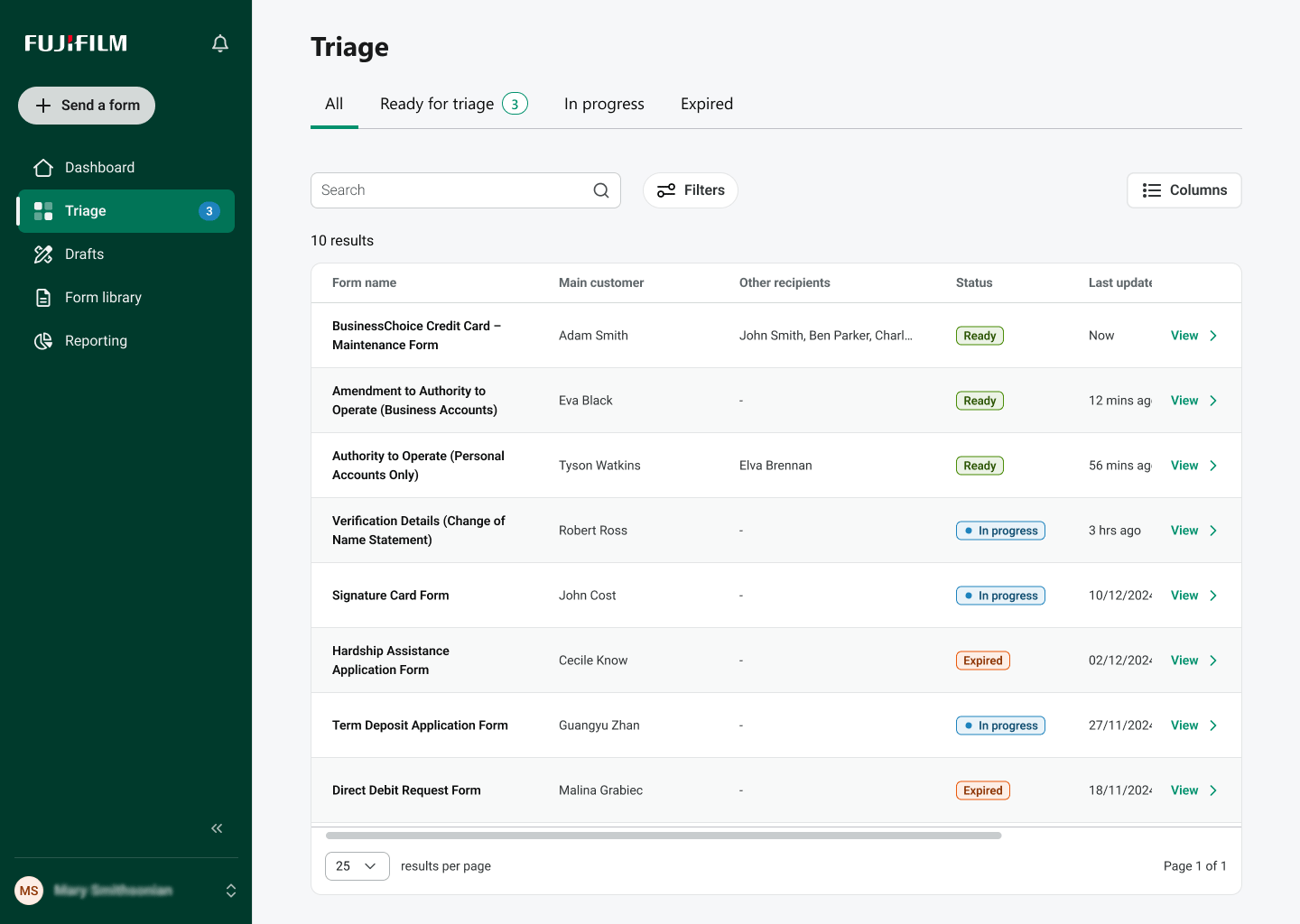
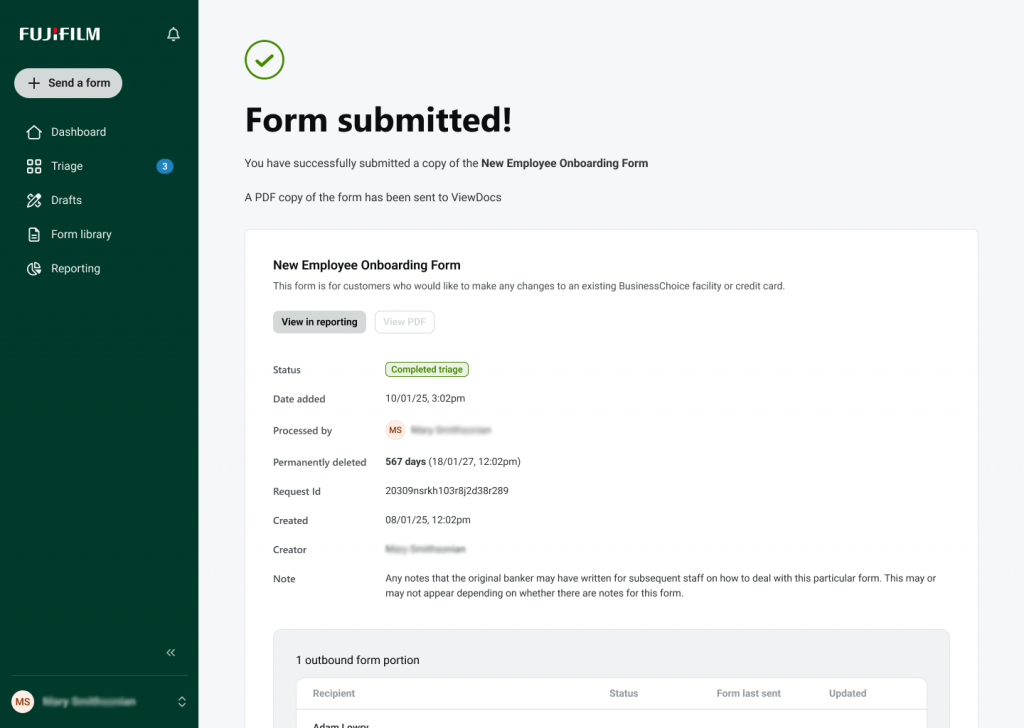
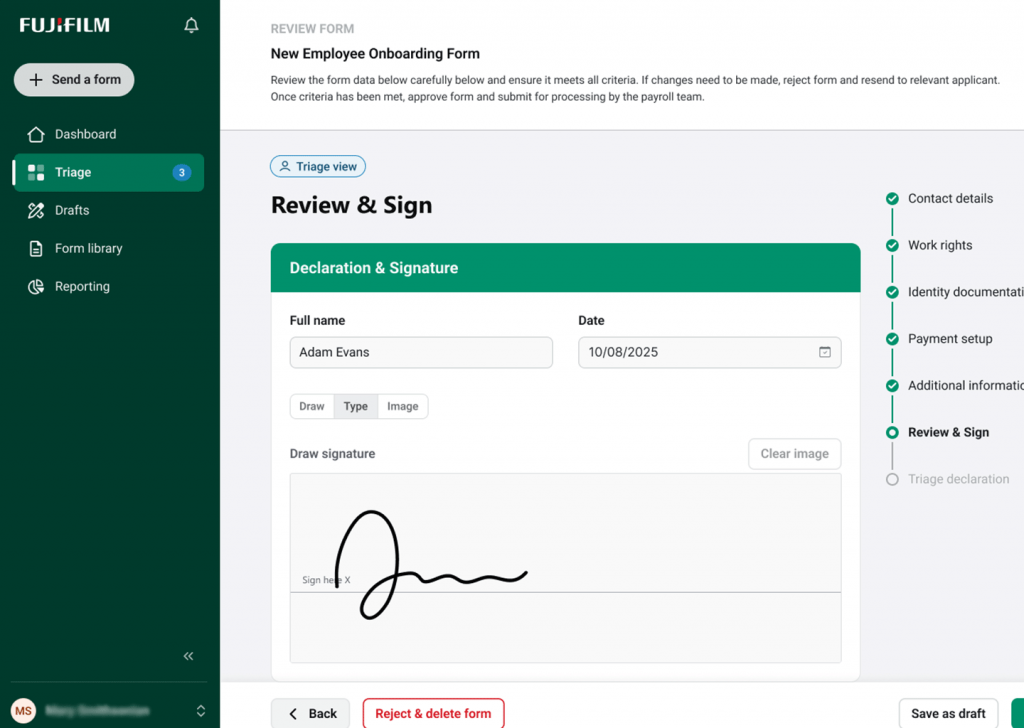
Screenshot of Fujifilm Digital Forms triage dashboard showing form status, reviewers and audit tracking for completed submissions.
How it works

Flexible ways to trigger and deliver digital forms

Digital Forms can be initiated in multiple ways depending on how your organisation works today. Forms can be triggered by staff, integrated systems or directly by customers while maintaining security, compliance and visibility across every interaction.

Staff-initiated forms via the Digital Forms portal

Staff can log into the Digital Forms portal, select a form template and pre-fill known information on behalf of a customer. The form is then securely delivered via the customer’s preferred channel, such as email or SMS. Returned forms can be triaged, reviewed and progressed within the same interface, supporting faster turnaround and better operational control.

System-triggered forms via API integration

For organisations with existing systems, Digital Forms can be triggered programmatically using our API. Forms can be initiated from CRM, case management or line-of-business applications, allowing data to flow seamlessly into form workflows without manual intervention.

Customer-initiated forms via portals or websites

Digital Forms can also be embedded or linked from customer portals or public-facing websites, allowing customers to initiate and complete forms themselves. Availability and implementation options may vary depending on use case and deployment model.

The Digital Forms workflow

The Digital Forms process guides users through the complete process of secure form creation and management from initial setup to final archival. Each stage is designed to maintain accuracy, accountability and compliance.

Form workflows made simple

Digital Forms give teams complete visibility and control over how information moves through their organisation. Every step is transparent, traceable and secure, ensuring forms are managed efficiently from setup to archival.

Setup

Define the purpose of your form, assign access levels and participant roles and set clear approval paths. This foundation ensures each submission follows the correct process from the start.

Designer

Build professional forms using intuitive drag-and-drop tools. Add fields, apply logic and configure validation rules to ensure data is captured accurately and consistently.

Flow Builder

Automate how submissions move through your organisation by assigning reviewers, conditions and notifications. This reduces manual handling and keeps approvals moving on schedule.

Test

Preview and validate forms before launch to confirm accuracy, check workflow logic and verify permissions. Testing ensures the process runs smoothly for all users.

Launch

Deploy approved templates across your organisation and begin capturing submissions. eSignatures and approvals are completed directly within the workflow with every action securely logged and timestamped for audit integrity.

Track & Archive

Track every submission through completion with full audit trails. Completed forms are securely converted to searchable PDFs and archived for compliance, reporting and easy retrieval.

Integrated eSignatures

Complete digital forms with built-in eSignatures

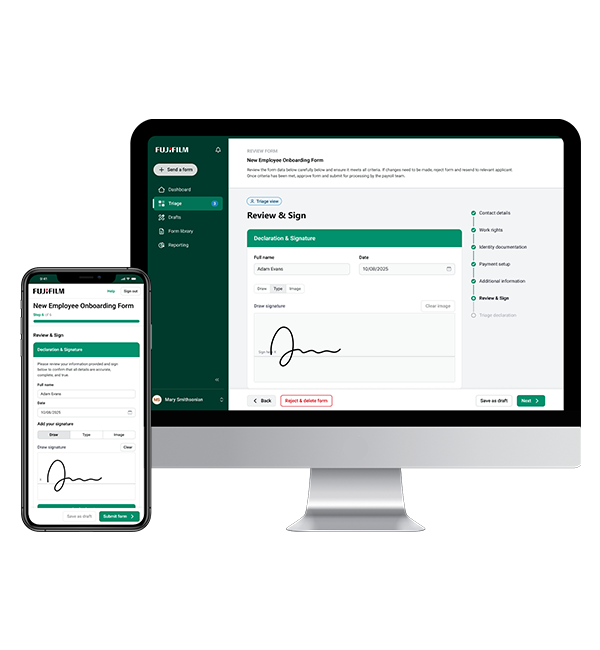
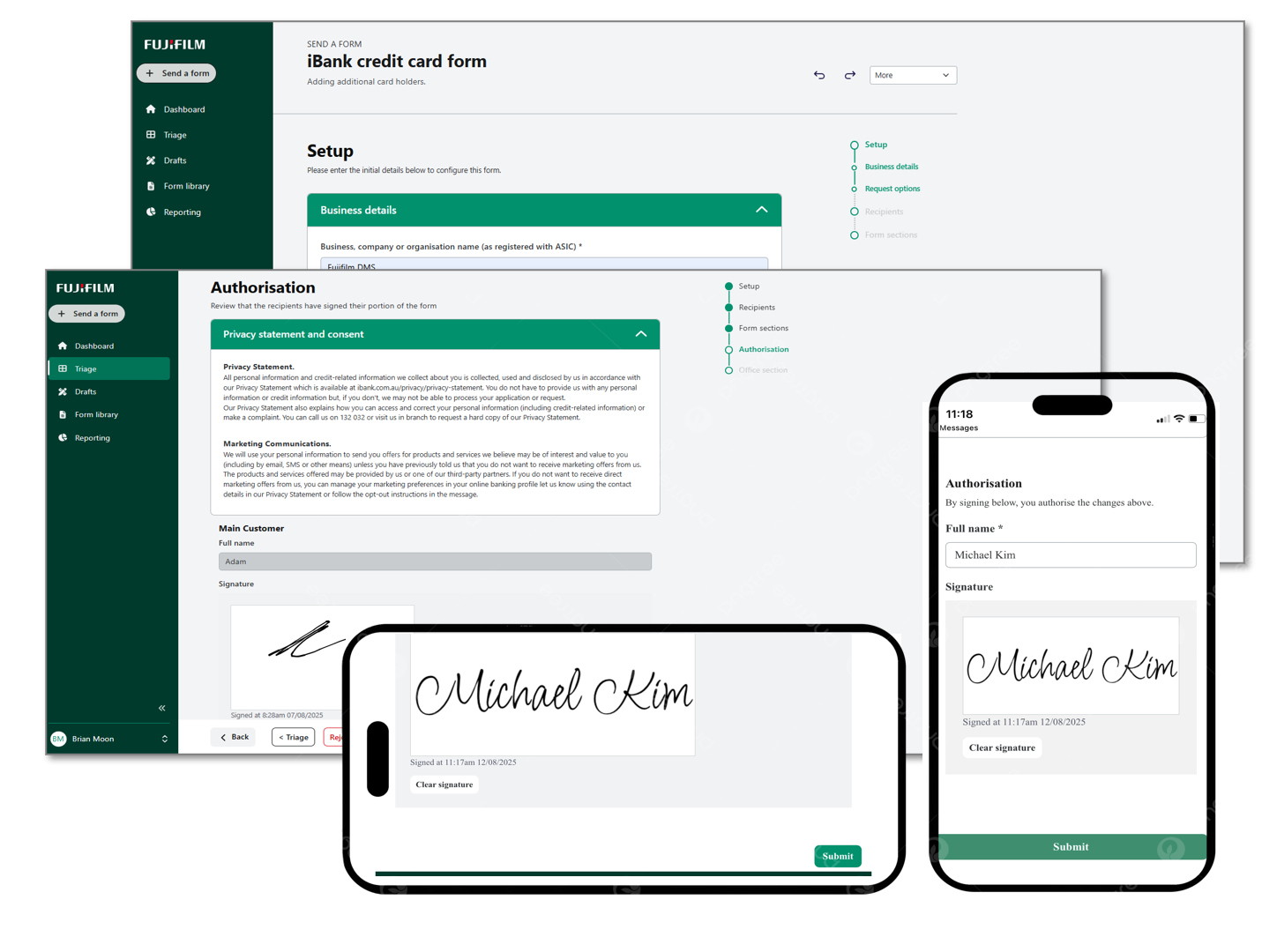
Digital Forms includes integrated eSignature capability, allowing forms to be reviewed, approved and signed as part of the same digital workflow. Recipients can sign directly within the form experience on desktop or mobile, removing the need for printing, scanning or separate signing tools.

Signatures are captured in context and linked to the form submission and workflow history, providing clear visibility of who signed, when actions occurred and how each form progressed. This supports audit, compliance and operational reporting across enterprise and government use cases.

Digital forms with eSignature capability
Identity verificatoin with Digital Forms

SECURE ACCESS

Identity verification and second-factor security

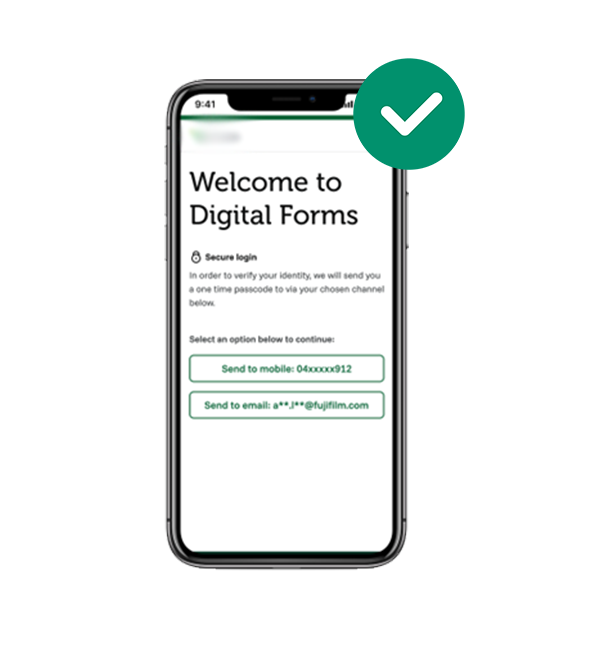
Digital Forms supports identity verification as part of the form delivery and completion process. Forms can be delivered via email with an additional SMS one-time passcode or challenge question to confirm the recipient’s identity before access or submission.

This approach is commonly used by regulated organisations to reduce fraud, protect sensitive information and ensure forms are completed by the intended recipient.

Identity verificatoin with Digital Forms

Features that make Digital Forms stand out

Digital Forms provides an intuitive, secure workspace for creating, managing and tracking forms. Each feature helps teams reduce manual effort, improve accuracy and ensure compliance across their workflows.


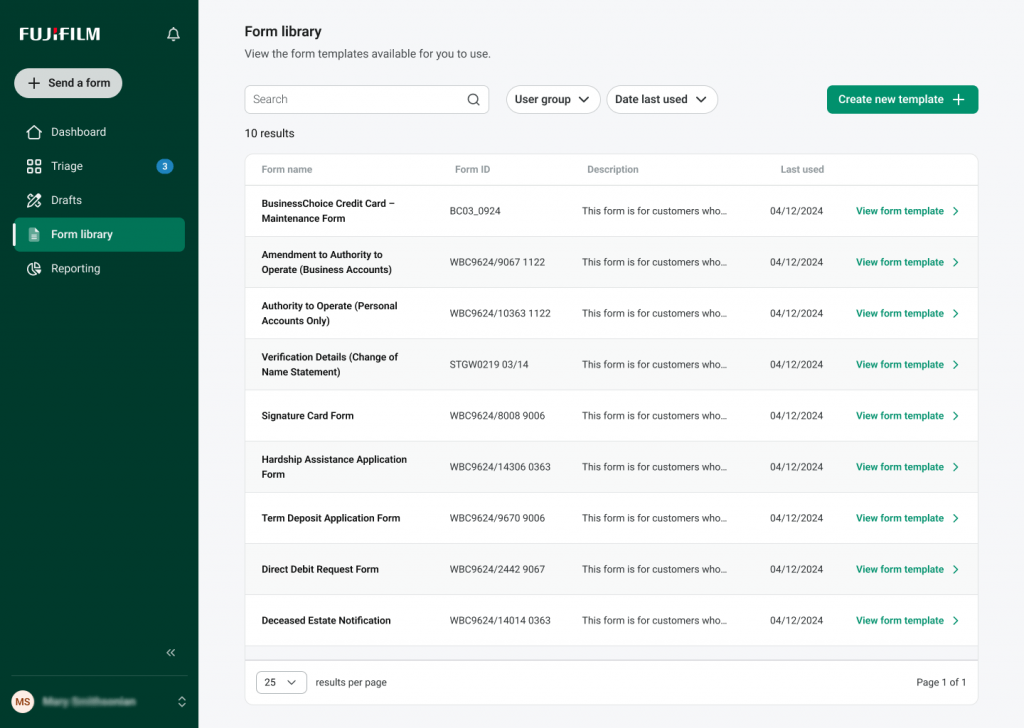
Form templates and library

Create new forms from reusable templates or start from scratch. Templates keep layouts consistent across teams and ensure accurate, compliant data capture.

Screenshot showing Digital Forms template library with available form layouts.


Drag-and-drop designer

Add and arrange fields visually without coding. Built-in validation and logic controls help prevent entry errors and maintain reliable records.


Form setup confirmation

Preview and validate form settings before publishing. Confirm workflow paths, access levels and conditional logic to ensure each submission follows the right process.

Screenshot of form setup confirmation screen showing validation checklist.


Participant roles and access

Assign reviewers, approvers and participants for each stage. Role-based permissions protect data and route submissions automatically to the right people.

Screenshot of participant role settings and approval paths.


Triggers and automation

Configure triggers that send alerts, route submissions or transfer data automatically. Automation keeps processes consistent and reduces manual follow-up.

Screenshot of the Flow Builder showing automated actions and routing logic such as Assign, Send alert, Condition and Integrate.


eSignatures for secure approval

Capture approvals and eSignatures directly within the form workflow. Each signature is encrypted, timestamped and securely stored with a full audit trail, ensuring every approval remains traceable and compliant.

Screenshot showing esignatures and the approval process.


Form creation and personalisation

Design forms through guided setup steps from defining roles and workflows to testing and publishing. Built-in logic and validation ensure accuracy and consistency across every form.

Screenshot of form creation process including personalisation and logic/validation to ensure accuracy.


Submission and file uploads

Allow users to upload documents and track progress through to completion. Each submission includes uploaded files, form details and audit-friendly records for compliance and retrieval.

Screenshot showing uploaded files and completed form records.

Enterprise integration

Connect with business systems through REST APIs or secure webhooks to exchange data, trigger workflows and archive submissions.

Email and SMS notifications

Send automatic alerts when forms are sent, submitted or approved with optional reminders for pending actions.

Real-world use cases for secure, seamless engagement

Our solution supports a wide range of use cases across regulated industries including government, banking, insurance and utilities. It helps you reduce friction, maintain compliance and lift digital adoption through every stage of the customer journey.


Customer data and contact updates

Prompt customers to securely review and update their details through a verified link. Maintains data accuracy across systems and reduces failed communications or deliveries.


Policy renewals and service upgrades

Send renewal or upgrade offers before expiry with mobile-ready forms that let customers review terms, select options and accept instantly.


Consent and digital preference capture

Collect acknowledgements, disclosures and opt-ins for digital delivery in one step. Each response is time-stamped and recorded for audit, ensuring compliance and transparency


Verification and eligibility checks

Validate identity or policy details using OTP verification and API lookups. Supports secure screening and policy compliance across regulated processes.


Secure statements and document delivery

Provide authenticated access to statements, notices or outcome letters including optional consent or acknowledgement steps.


Feedback and satisfaction capture

Capture quick post-interaction feedback to measure satisfaction, gather insights and drive continuous improvement across services.

Support for business users and technical teams

Flexible onboarding models

Choose how to deploy Digital Forms based on your internal systems, team structure and workflow needs.

Whether teams manage forms through a secure portal or integrate directly with existing systems, the platform adapts to your environment.

Digital Forms UI 2

Enterprise-grade security, compliance and control

Supporting secure, compliant form data capture aligned with Australian privacy and industry standards.


Protect sensitive data across every form interaction

Digital Forms operates in Fujifilm DMS’s secure IES Cloud, with encryption applied in transit and at rest. Each form is accessed through personalised, authenticated links to safeguard Personally Identifiable Information (PII). Access controls include role-based permissions and configurable expiry rules, aligned with ISO 27001:2022 information-security standards.


Automate compliance with built-in workflows

Automated workflows handle validation, retention and audit logging across each submission. Events and signatures are timestamped to maintain a verifiable activity record while expiry and suppression rules further support governance and reduce manual effort.


Built for regulated environments

Designed for sectors such as government, finance, utilities and insurance, Digital Forms support Australian data residency and operate under ISO 27001:2022 and ISO 9001:2015-certified frameworks, reflecting Fujifilm DMS’s commitment to quality and information security.

Ready to connect?

If you’re looking for ways to improve how your organisation sends, receives or manages customer communications, share your details and we’ll be in touch to explore the right solution for your needs.

Industries We Serve

Our industry expertise and solutions

Fujifilm DMS can support any industry that needs to communicate frequently with customers across multiple channels, physical or digital. Whether you’re sending or receiving information or engaging with customers online, we’re here to help.